VIN Check Report for Used Cars
VINDecoded.comAuto & Vehicles
4.54.46K Reviews
- Version
- 12.1.1.0
- Installs
- 1.00M
- Age Rating
- Everyone
Screenshots
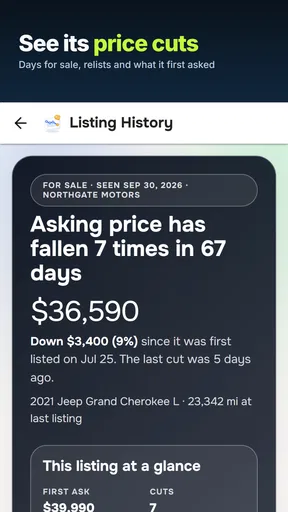
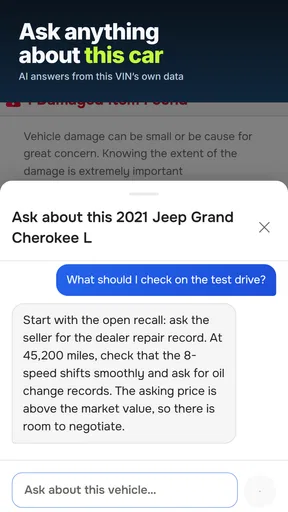
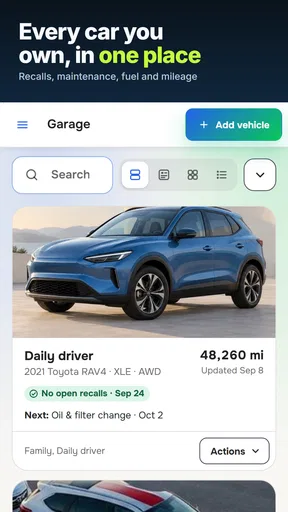
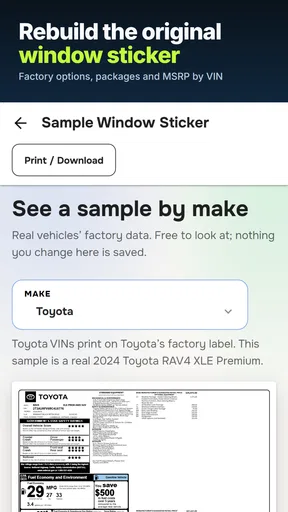
Our Review of VIN Check Report for Used Cars
 Analysis by Appyee
Buying a used car often begins with a small piece of information: a vehicle identification number, a license plate, or an advert that looks just convincing enough to deserve a closer look. I tested VIN Check Report with that exact mindset. This free Auto & Vehicles app from VINDecoded.com is designed to turn vehicle identifiers into a more informed starting point, bringing together specifications, valuation details, recall information, stolen-vehicle checks, engine information, and decoding tools in one place.
My first impression was that it is most useful before money changes hands, not after. It does not replace a mechanic, a test drive, or a careful look at ownership paperwork. What it does well is help me decide whether a car deserves those next steps. That makes it particularly practical for private buyers who are comparing several listings and need a quick way to separate promising candidates from vehicles that raise too many questions.
From a promising listing to a more informed decision
When I move from browsing an advert to deciding whether a car merits a viewing, I want the lookup to clarify the next step, not make the decision for me. I’ll focus on how I’d use the identifier and any results to prepare useful questions, compare the vehicle with its paperwork, and avoid committing before the details line up.
The starting point: what you already know about the car
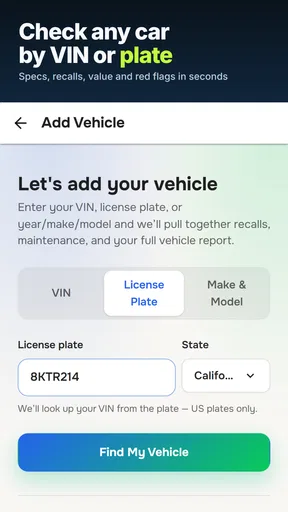
The app makes the most sense when I already have a specific vehicle in front of me. That might be a marketplace advert, a handwritten plate number from a car parked outside a dealership, or a VIN copied from the dashboard, door frame, registration paperwork, or seller’s message. The quality of the outcome begins with the quality of that input, so I would never rush this first step.
A single mistyped character can send a lookup in the wrong direction or prevent a useful match. I check confusing characters carefully, especially letters and numbers that can look alike, and I compare the identifier with more than one place on the vehicle when possible. This is a simple habit, but it is one of the most important practical lessons when using any VIN tool.
VIN Check Report is free to install and is suitable for Everyone. Its current version is 12.1.1.0, and it requires an operating system version 10 or newer. Those details matter if you are standing beside an older phone at a dealership or trying to install it immediately before viewing a car. I would install and open it before the appointment rather than waiting until the seller is watching.
Entering the identifier without losing the context
Once I have the VIN or plate information, the next step is to enter it into the relevant lookup area and review what the app returns. I find it helpful to keep the original advert open at the same time. That lets me compare the decoded vehicle with the seller’s claims instead of treating the report as an isolated answer.
For example, if an advert describes a particular engine, body style, or equipment level, I look at the decoded specifications before I become emotionally attached to the car. A mismatch does not automatically prove dishonesty; adverts can contain innocent mistakes. However, it gives me a reason to ask a direct question and request supporting documents.
This is one of the app’s quieter strengths. The decoder is not only a curiosity tool for learning what a VIN means. It can act as a conversation filter. I can use the information to turn vague questions such as “Is this the right model?” into precise ones about the engine, production details, or listed configuration.
Reading specifications before looking at the price
I prefer to review the vehicle details before focusing on the valuation section. Price can influence judgment too quickly, especially when a low figure makes a questionable listing feel like a bargain. Specifications provide a more neutral first checkpoint.
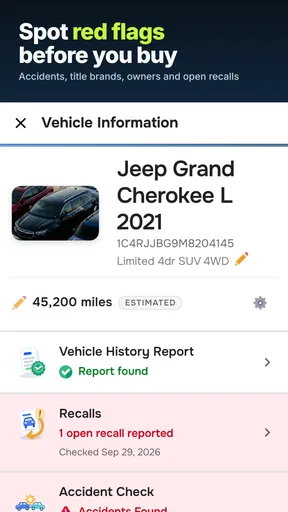
The app’s vehicle information is useful for checking whether I am researching the exact car I think I am researching. This becomes especially important when two trims look almost identical in photographs or when a seller has copied a generic description from another listing. A report that helps identify the vehicle’s underlying configuration gives me a firmer basis for comparing similar cars.
There is also a practical handoff here: I take the decoded information from the app and use it outside the app. I might compare it with the registration document, ask the seller to explain a discrepancy, or give the details to a mechanic before an inspection. The app is most valuable when its output becomes a question or action, rather than something I simply read and forget.
Using value information as a negotiation aid
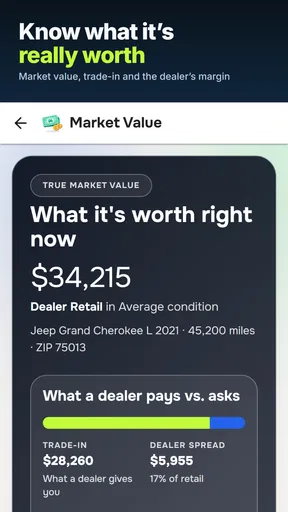
The valuation element is helpful, but I treat it as a reference point rather than a verdict. A vehicle’s real price depends on condition, service history, mileage, location, equipment, demand, and the seller’s urgency. A calculated value cannot see every scratch, warning light, worn tire, or incomplete maintenance record.
My preferred workflow is to use the app to establish a rough sense of where the asking price sits, then adjust my expectations based on what I can physically verify. If the car appears priced well above comparable examples, I want a clear explanation. If it is dramatically cheaper, I become more cautious rather than more enthusiastic.
This is also where the app compares favorably with a casual web search. Searching manually can produce scattered pricing pages and generic model information, but it usually takes more effort to connect those results to the exact vehicle in front of me. VIN Check Report keeps the lookup centered on the identifier, which makes the process faster for an initial screening.
Checking recalls and stolen-vehicle information
Safety and legal concerns deserve their own pause. The app includes recall and stolen-vehicle checks, and I would run both before arranging a purchase whenever the information is available for the vehicle being examined.
A recall result is not automatically a reason to reject a car. Some recalls are resolved, while others may require the seller to arrange a repair. The useful outcome is knowing what to ask: Has the recall work been completed? Is there documentation? Can a manufacturer or authorized service center confirm the status?
A stolen-vehicle warning is more serious and should stop the buying process until the matter is independently clarified. I would not rely on a reassuring seller message or a clean-looking advert if a vehicle identity check raises a legal concern. The app can help surface a warning, but official authorities and proper ownership documents should handle the final verification.
This is an important distinction between a lookup app and a complete purchase service. The app can help me notice risk earlier, while the responsibility for confirming the vehicle’s legal status remains with the buyer and the relevant official sources.
Looking at the engine information in the right way
Engine details are especially useful when a seller’s description is broad or incomplete. I use them to understand what kind of vehicle I am actually considering and to prepare better questions about maintenance, fuel requirements, and parts. That can also help a mechanic arrive at an inspection with the correct context.
Still, engine information should not be confused with a mechanical diagnosis. A decoded engine specification cannot tell me whether the motor is healthy today, whether it burns oil, or whether a warning light has been cleared temporarily. I still want a cold start, a proper test drive, and an independent inspection where the purchase is significant.
The trade-off is clear: the app gives me identity and reference information quickly, while a workshop gives me physical evidence. Using one in place of the other is where buyers get into trouble.
How the handoffs work in a real buying scenario
Imagine I find a used hatchback listed by a private seller. The photos look good, the mileage seems attractive, and the asking price is low enough to create urgency. Before arranging a deposit, I copy the VIN into VIN Check Report and compare the returned specifications with the advert.
The vehicle appears to match the broad description, but the value information makes me question whether the low price reflects condition rather than a special bargain. I then check recall and stolen-vehicle information, save the questions that result from the lookup, and contact the seller. I ask for service records, confirmation of ownership, and an explanation of anything that does not line up.
At the viewing, I compare the VIN on the vehicle with the identifier I researched. I do not let the seller substitute a different car or tell me that the number is “close enough.” If the identifier matches, I move on to the physical inspection. If it does not, the app has already done its job by preventing me from evaluating the wrong vehicle.
After that, I hand the decoded specifications and any concerns to a mechanic. The mechanic’s inspection then covers the areas the app cannot: leaks, suspension, brakes, body repairs, tire condition, electronics, and signs of neglect. This division of labor is much more sensible than expecting a phone report to certify a car.
What the final result is really good for
The best result is not a simple “buy” or “do not buy” label. The best result is a clearer next decision. After using the app, I should know whether to continue investigating, negotiate from a more informed position, request documents, book an inspection, or walk away.
For a buyer comparing several cars, that can save considerable time. A vehicle with inconsistent specifications, unresolved questions, or a concerning status check may not deserve a weekend appointment. A vehicle that passes the initial screen still needs work, but it deserves more attention than an advert that fails at the first identity check.
I also like the app as a preparation tool for first-time buyers. Someone unfamiliar with vehicle terminology can use the decoded information to learn what is being sold before speaking with a dealer or private seller. It does not make a person an expert, but it reduces the chance of entering the conversation with no useful reference points.
Where the flow becomes less comfortable
The biggest limitation is that a vehicle lookup is only as complete and current as the records behind it. A clean-looking result should not be interpreted as proof that a car has never been damaged, poorly maintained, or misrepresented. Some events may not appear in the information available to a lookup service, especially when repairs were handled privately or records were never properly reported.
There is also a difference between a positive result and a complete result. If the app does not surface a warning, I still check the documents, inspect the vehicle, and confirm the identity in person. This is not a criticism unique to this app; it is a fundamental limitation of digital vehicle history checks.
Another point to keep in mind is the payment model. The app itself is free, but in-app purchases range from $0.99 to $24.99 per item. I would read the screen carefully before ordering anything and decide whether the depth of the report is justified by the value of the vehicle. For an inexpensive car, a paid lookup may represent a meaningful part of the buying budget; for a costly purchase, it can be a sensible screening expense.
The app may also be more than a casual user needs. If I only want to identify a model from a VIN and I am not buying the car, the broader checks may feel unnecessary. Conversely, someone who expects a guaranteed full history, official legal certification, or a substitute for an inspection will probably be disappointed by any app in this category, including this one.
How it compares with the usual alternatives
The common alternative is to search the VIN manually across several websites, manufacturer pages, government resources, and marketplace tools. That approach can be useful when I need an official recall confirmation or a document-level check, but it is slower and often requires me to interpret information from unrelated sources.
VIN Check Report is more convenient as a first-pass hub. It brings specifications, value context, recalls, stolen checks, engine details, and decoding into the same vehicle-focused workflow. The advantage is less about producing a magical answer and more about reducing the number of disconnected searches I need to perform before deciding what to investigate next.
A dealership’s own history process may be better when I need records tied to a specific sales network, while a mechanic is unquestionably better for judging physical condition. Paid history services may be preferable for buyers who want a deeper report and are willing to pay for that level of documentation. I see this app occupying the middle ground: faster and broader than casual searching, but not a replacement for official confirmation or professional inspection.
Who will get the most from it
I would recommend it to used-car shoppers who regularly browse private listings, compare multiple vehicles, or want a structured checklist before contacting a seller. It is also useful for someone helping a family member buy a car, because the lookup gives both people a shared set of details to discuss.
It can be valuable for owners checking whether an advert accurately describes their own vehicle, and for enthusiasts who want to decode specifications before researching parts or comparable listings. The free entry point makes it easy to keep available for occasional checks, while the optional purchases allow a user to decide how much information is worth paying for in a particular case.
I would skip it as the main decision tool if I already have a trusted mechanic, official records, and a dealership process that supplies the exact checks I need. I would also avoid treating it as sufficient for a high-risk purchase involving unclear ownership, suspicious paperwork, or a vehicle that cannot be inspected properly.
My recommendation after following the full workflow
VIN Check Report has earned a strong reputation, with a 4.5 average from around 11 thousand ratings and more than a million installs. Those figures fit my experience: it is a practical, focused tool for turning a vehicle identifier into useful questions before I commit time or money.
Its real strength is the sequence it supports. I start with the VIN or plate, compare the decoded identity with the advert, review value information, check recalls and stolen status, then hand the findings to the seller and, ideally, a mechanic. That workflow is more valuable than any single result inside the app.
My final advice is to use it early, slowly, and skeptically. Verify every identifier, treat valuation as context, investigate warnings instead of dismissing them, and never confuse a digital check with a physical inspection. For a free Auto & Vehicles app from VINDecoded.com, the most useful outcome is not certainty—it is knowing what to verify next. If you approach it that way, VIN Check Report is a worthwhile companion when a promising used car needs a closer look.
Verdict
Strengths of VIN Check Report for Used Cars
- Quickly checks a vehicle’s history using its VIN.
- May reveal accident, theft, title, or odometer records.
- Useful when comparing multiple used cars before buying.
- Simple interface suitable for users without automotive expertise.
- Can help identify warning signs before arranging an inspection.
Limitations of VIN Check Report for Used Cars
- Report availability and detail can vary by vehicle and country.
- Some records may be missing or delayed in the database.
- A full report may require an in-app purchase or subscription.
- VIN entry errors can produce inaccurate or irrelevant results.
- It cannot replace a professional mechanical inspection or test drive.
Similar Picks in This Category
View All
Android Auto
Google LLC4.1

maxim — order a taxi & food
PT. SITO4.7

Штрафы ГИБДД: проверка с фото
Pays LLC – Штрафы ГИБДД4.7

Номерограм – проверка авто
Авто Ассист4.8

Дром Авто
Дром4.9

Frequently Asked Questions
What is VIN Check Report for Used Cars?
VIN Check Report for Used Cars is a vehicle-history lookup tool designed to help shoppers research a pre-owned car before buying it. By entering the vehicle identification number, commonly known as the VIN, users may access available information such as reported accidents, title records, mileage history, theft status, recalls, and other registration details. The amount of information can vary by vehicle and location.
How do I use the app to check a used car?
Using the app is generally straightforward: locate the 17-character VIN on the dashboard, driver-side door frame, registration document, or title, then enter it carefully into the search field. After submitting the number, review the generated report and compare its details with the seller’s description and paperwork. Double-check every character because one incorrect digit can produce an inaccurate or unrelated result.
What information can the VIN report reveal?
A VIN report may provide useful background information, including reported collisions, salvage or rebuilt titles, odometer readings, theft records, previous sales, ownership changes, service entries, and open safety recalls. However, it should not be treated as a complete mechanical inspection. Records depend on data supplied by government agencies, insurers, repair facilities, dealerships, and other participating sources.
Is a VIN report enough to decide whether I should buy the car?
No. A VIN report is an important research tool, but it cannot identify every mechanical, electrical, or cosmetic problem. Some accidents and repairs are never reported to data providers, and a clean history does not guarantee that a vehicle is in excellent condition. Before purchasing, arrange an independent inspection, verify the title and documents, test-drive the car, and consult a qualified mechanic.
Does the app offer free reports, and are the results guaranteed to be accurate?
Availability and pricing may depend on the selected report, region, and current app or service policies. Some basic searches may be free, while detailed records can require payment or a subscription. Users should review the price, renewal terms, and included information before confirming a purchase. Reports are based on available records and should be considered informative rather than a guarantee of a vehicle’s condition or history.
